Now, Voice changers become one of the most popular tools. Whatever protect identity, play prank with friends, or polish up existing content, voice changing technology can help a lot. In this guide, we will give a comprehensive understanding of what need to know about using voice changer, including setup tips and practices for smooth use.
Why Use Voice Changer for Phone Calls?
l Privacy protection: Hide real voice in certain sensitive calls.
l Entertainment: Play pranks with friends or create humorous content.
l Professional use: Voice actors or content creators can try character dubbing.
l Accessibility: Using voice changer can help speech impairments people.
How to use voice changer effectively
Step 1: Choose the right voice changer
Not all voice changers are same. What kind of voice changers use depends on device, budget, and desired features. Here are some choice:
1. Voicemod (Windows/Android/iOS)
Voicemod is a popular real-time voice modulation app. It can integrates with apps like Discord, Zoom, even mobile calling apps. Features include:
l 80+ voice effects (such as robot, demon, chipmunk).
l Remove background noise .
l Creation Custom voice.
2. Clownfish Voice Changer (Windows)
This lightweight tool is free and it can works on all system, compatible with any calling app. It's perfect for beginners.
3. MorphVOX (Windows/Mac)
MorphVOX provides high-quality voice morphing and background sound effects. "Voice Learning" feature customizes the sound effects to natural voice pitch.
4. VoiceFX (iOS/Android)
A mobile-first app that modifies voice during calls. Also can use it anywhere, anytime.
Tip: Try free trial before purchasing premium plan.
Step 2: Install and Configure the Software
After selected voice changer, follow these steps to set up:
For Desktop (Windows/Mac):
1. Download software from official website.
2. After installation, if prompted, restart device will be fine.
3. Open app and select Microphone under Input Devices.
4. Select one voice effect from library (such as "Deep Voice" or "Alien").
5. Enable virtual microphone driver (such as Voicemod Virtual Audio Device).
For Mobile (iOS/Android):
1. Install Voice Changer app from App Store or Google Play.
2. Grant microphone and call permissions.
3. Select voice changing effect and adjust settings like pitch or echo.
4. Open Phone app, Voice changing effect will be applied automatically.
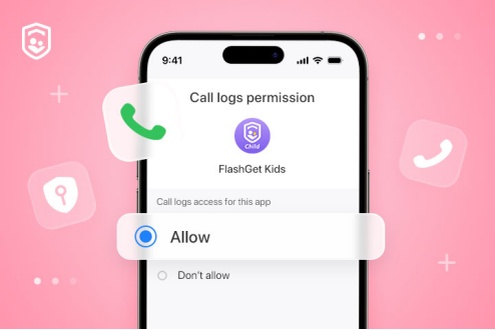
Troubleshooting: If voice doesn’t change, check app permissions or audio routing settings.
Step 3: Integrate with Calling Apps
If want use Voice Changer during calls, make sure linked to calling app:
For mobile calls:
l Android: Use an app like VoiceFX overrides default microphone.
l iOS: Enable Voice Changer in Settings > Microphone > Select app.
For VoIP services (WhatsApp, Skype, Zoom):
l Turn on Voice Changer and set it default microphone.
l In calling app's settings, select a virtual microphone (e.g. Voicemod Input).
Note: Some platforms may block third-party audio drivers. Test with friend first!
Step 4: Test and Adjust Your Voice
Before making important call, test it out:
1. Use preview feature of Voice Changer.
2. Record a clip and play it back.
3. Adjust pitch, speaking speed, or pitch modulation to make clearer.
Avoid over-modulation: Too much distortion will let voice hard to understand.
Step 5: Ethical and Legal Considerations
Consent: If need to record, disclose the use (required in states with consent systems such as California).
No harassment: Do not use voice changers to scam, threaten, or impersonate others.
Platform policies: Apps like WhatsApp prohibit the use of voice changers to send spam.
Top 5 Voice Changers for Phone Calls in 2025
1. Voicemod – Good for real-time effects.
2. MorphVOX – Nice custom voices.
3. Clownfish – Best free option.
4. AV Voice Changer – Useful for professionals.
5. VoiceFX – Good for mobile users.
Using voice changer for phone calls needs combination creativity and technical know-how. By choosing right software, configuring appropriately, and following ethical guidelines, So can use voice changer for anything whatever pranking friends or protecting privacy and creating content.