With the Intel Flash Programming Tool (FPT) you can make a backup and flash the motherboard bios. If you generally have a firmware utility for brand motherboards Asus, MSI, and Gigabyte, for Chinese motherboards such utility is absent, but we can flash the bios directly from within Windows and without a special firmware utility - FPT.
Please download and unpack an archive with the FPT utility.
- Run the command line as an administrator:
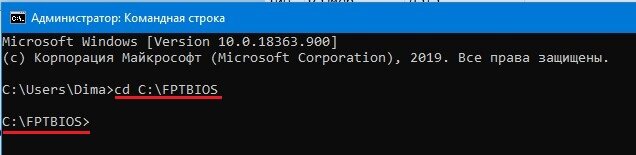
Next, you need to go to the folder "FPTBIOS" with the program to flash the bios, if you unpacked the archive to the root of drive "C", the command will be as follows:
cd C:\FPTBIOS
To write the backup bios command:
fptw64 -d backup.bin
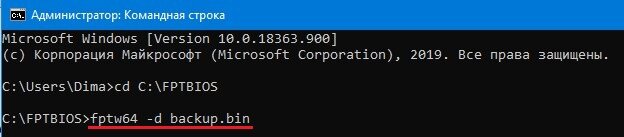
backup is a name of a backup file, can be anything you want.
.bin is an extension of the file, could be .bin, .rom, etc., or even no extension
At the end of the backup process, you will see "FPT Operation Passed", and in the "FPTBIOS" folder you will see backup.bin file
To write backup bios command:
fptw64 -f bios.bin
bios - bios file name
.bin - an extension of the bios file
After the flashing process is complete you will see FPT Operation Passed
- Some flashing vendors disallow flashing under Windows, it's easy to check, when you create a backup of your bios you'll get error 26 which means your board can't be flashed by FPT under Windows.
But don't despair, you can flash your board with AFUDOS or CH341A programmer.