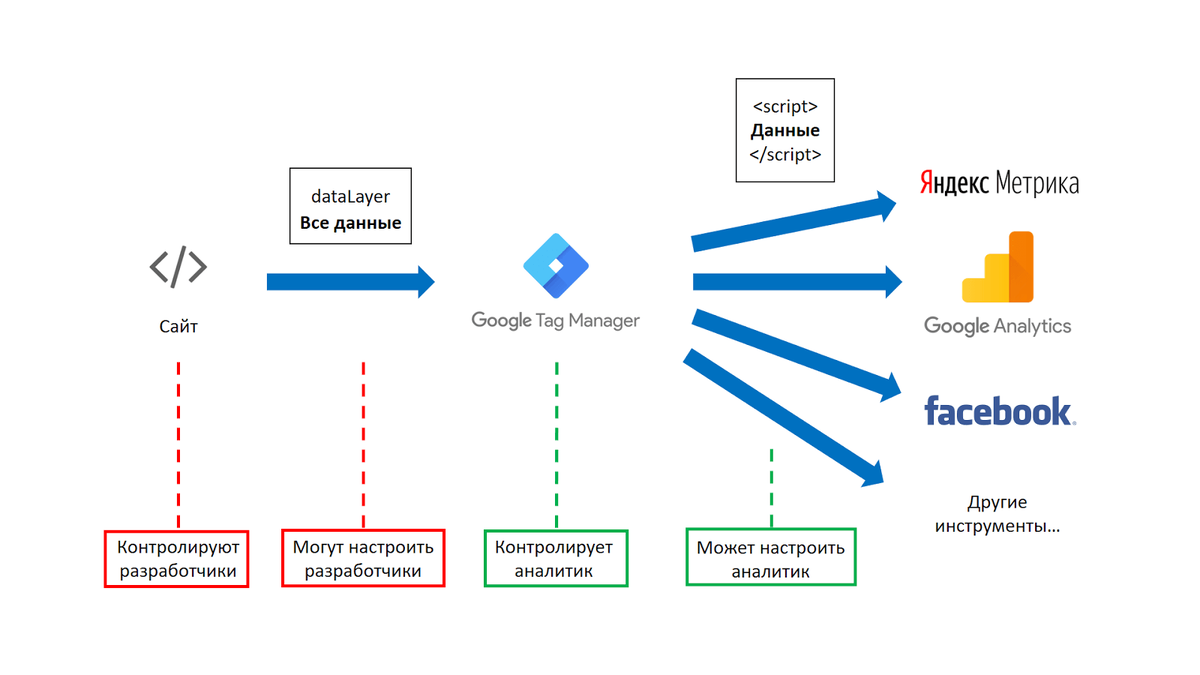
Google Tag Manager (GTM) is a powerful tool that allows you to easily implement and manage various tags on your website without the need for manual code editing. One of the benefits of using GTM is its ability to track the effectiveness of your SEO optimization efforts.
Here are some steps on how to use Google Tag Manager for tracking your SEO optimization:
1. Set up a Google Tag Manager account and install the GTM container code on your website. This code will allow GTM to load and manage your tags.
2. Create a new tag in GTM specifically for tracking SEO metrics. This tag can be configured to fire whenever certain actions or events occur on your website that you want to track, such as pageviews, clicks, form submissions, etc.
3. Set up triggers in GTM that define when the tag should be fired. These triggers can be based on various conditions, such as specific URLs, elements on the page, or user interactions.
4. Configure variables in GTM that capture relevant data for tracking SEO metrics. For example, you can create variables that capture the current URL, referral source, search queries, etc.
5. Test your tag configuration by previewing it in GTM's preview mode and navigating through your website. This will allow you to see if the tags are firing correctly and capturing the desired data.
6. Once you're satisfied with your tag configuration and testing results, publish the changes in GTM so that they go live on your website.
7. Use Google Analytics or any other desired analytics tool to analyze the data captured by GTM tags and gain insights into the effectiveness of your SEO optimization strategy.
Remember that effective tracking of SEO metrics requires careful planning and consideration of which specific metrics you want to track and how they relate to your overall SEO goals. It's also important to regularly review and update your tag configuration as needed to ensure accurate tracking results.
In conclusion, utilizing Google Tag Manager for tracking the effectiveness of your SEO optimization efforts can help you make data-driven decisions, identify areas for improvement, and optimize your website for better search engine rankings.