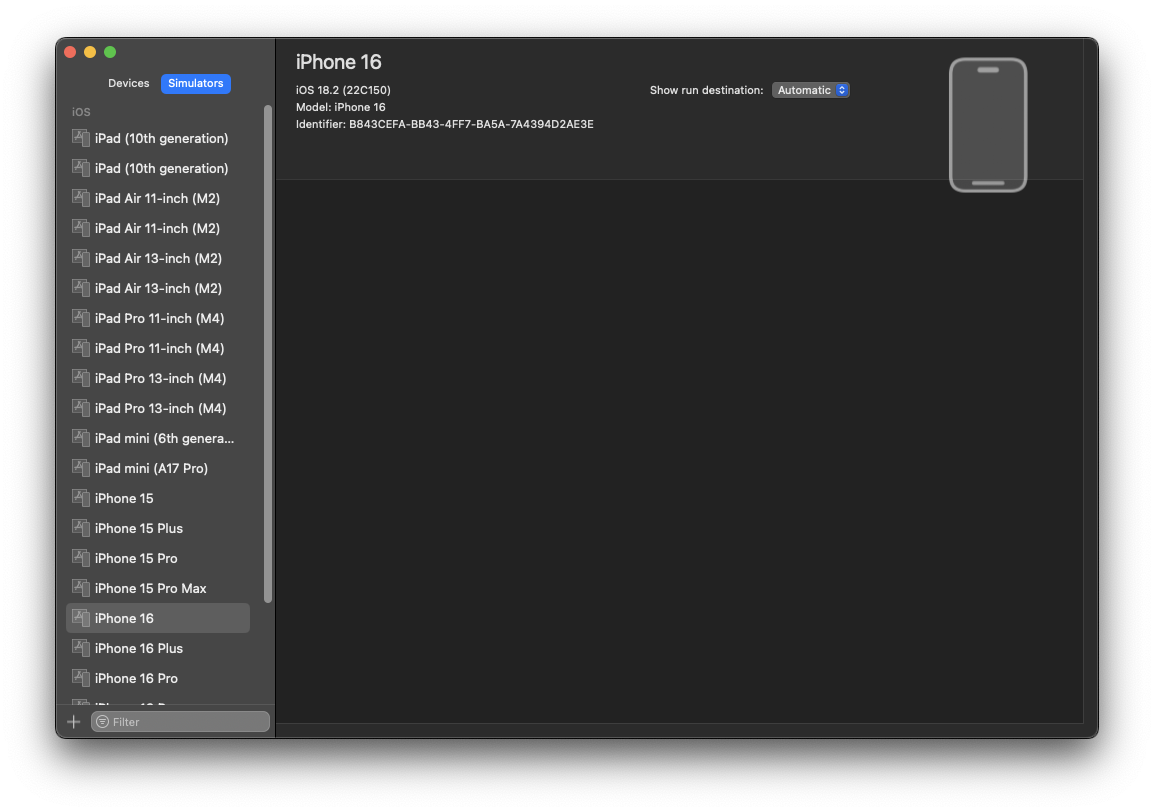
При запуске приложения на flutter в симуляторе получил ошибку Error output from Xcode build: ↳ xcodebuild: error: Unable to find a destination matching the provided destination specifier:
{ id:... }
Ineligible destinations for the "dev" scheme:
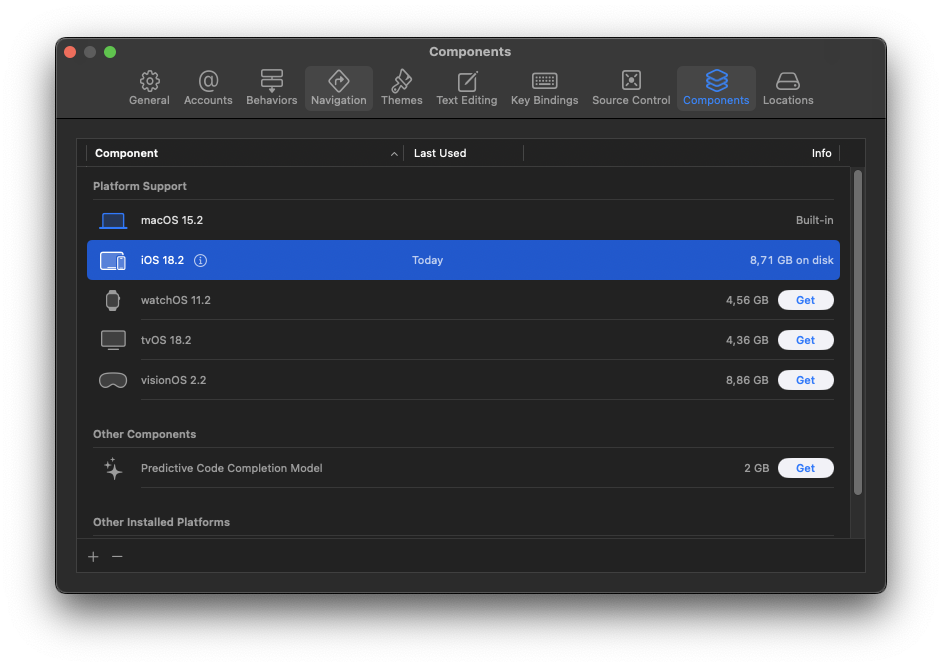
{ platform:iOS, id:dvtdevice-DVTiPhonePlaceholder-iphoneos:placeholder, name:Any iOS Device, error:iOS 18.2 is not installed. To use with Xcode, first download and install the platform } Запускаем Xcode Скачиваем новую версию iOS 18.2
При запуске приложения на flutter в симуляторе получил ошибку
Error output from Xcode build:
↳
xcodebuild: error: Unable to find a destination matching the provided destination specifier:
{ id:... }
Ineligible destinations for the "dev" scheme:
{ platform:iOS, id:dvtdevice-DVTiPhonePlaceholder-iphoneos:placeholder, name:Any iOS Device, error:iOS 18.2 is not installed. To use with Xcode, first download and install the platform }
Запускаем Xcode
Скачиваем новую версию iOS 18.2
- Window > Devices and Simulators > Simulators
- Нажимаем "+" в нижнем левом углу
- Выбираем устройство
- Выбираем версию OS
- Нажимаем "Create"