Relevance:
- System Installation & Post Installation
- Yandex Browser working (playing videos)
- Change the Yandex search engine to render English results.
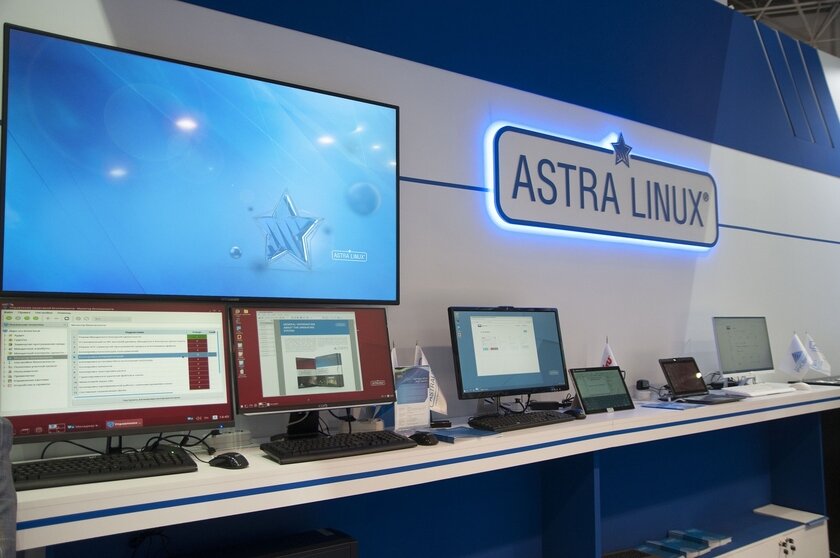
1. Astra Linux: Installation Essentials
i. Nov 2022 - version: orel-2.12.45.5-23.07.2022_07.53
GNU/Linux Distribution Astra Linux Common Edition
Write to USB using ROSA Image Writer or similar
Use the guided installation and follow the prompts (Guided LVM with encryption is advised). The Red Book addresses any questions outside the information in this post.
Consider installing the latest generic kernel.
After installing, set your firewall or set it up during installation.
If you happen to upgrade from the previous release, see next point.
ii. Issues with repository after upgrade
Open the Info Center from start menu and note the Astra Linux version
Open Synaptic package manager and disable the old sources (repositories).
Create a new source to correspond with the Info Center information.
Astra Linux Common Edition 2.12.45
URI:
https://dl.astralinux.ru/astra/frozen/2.12_x86-64/2.12.45/repository
Distribution:
orel
Sections:
stable main contrib non-free
Astra Linux Common Edition 2.12.44
URI:
https://dl.astralinux.ru/astra/frozen/2.12_x86-64/2.12.44/repository
Distribution:
orel
Sections:
stable main contrib non-free
Reference latest links from the official Astra Linux site.
iii. Astra Linux links
Get the ROSA Image writer for win/mac or Linux here.
If you're prevented from accessing RU links, download installation ISO from my Mega Cloud.
Astra Linux official user guide
2. Debian non-free Sources
To install the Yandex Browser, you need the Debian (buster) sources. Additionally, the stretch sources may prove useful in future. Add these sources now, and enable them only for specific packages, and install packages with careful attention to warnings. Disable them after installing whatever you need.
Hotkeys for terminal are Meta+t (you can change it - search for fly hotkeys editor in the start menu).
i. Add The Sources
Alt+T to open a terminal. Command to open the sources file for editing:
sudo nano /etc/apt/sources.list
Add these 3 lines, then ctrl+x, yes, enter (to save the file after editing):
deb http://deb.debian.org/debian/ stretch main contrib non-free
deb http://deb.debian.org/debian/ stretch-updates main contrib non-free
deb https://mirror.yandex.ru/debian/ buster main contrib non-free
ii. Import The Keys
Enter these commands into a terminal, one command at a time:
sudo apt-key adv --keyserver keyserver.ubuntu.com --recv-keys 648ACFD622F3D138
sudo apt-key adv --keyserver keyserver.ubuntu.com --recv-keys 0E98404D386FA1D9
sudo apt-key adv --keyserver keyserver.ubuntu.com --recv-keys 605C66F00D6C9793
sudo apt-key adv --keyserver keyserver.ubuntu.com --recv-keys 112695A0E562B32A
sudo apt-key adv --keyserver keyserver.ubuntu.com --recv-keys 54404762BBB6E853
After adding the debian sources, update the sources with this terminal command:
sudo apt-get update
Now you can install this keyring from the debian sources with this terminal command:
sudo apt install debian-archive-keyring
3. Yandex Browser
i. Get the Yandex Package
From the Astra Linux link, follow the "Other" link to download the Yandex Stable version or the Yandex Beta Linux deb package.
ii. Download and Install deb Package
Open a terminal in the directory containing the deb package, enter this command line:
cd ~/Downloads
List the contents to see the name of the package:
ls
pay attention to the name of the downloaded Yandex-.deb package
Open the Synaptic Package Manager and enable Stretch and Buster repository before proceeding. Close the package manager. If there are errors during the next step, open Synaptic again and 'fix broken packages', then proceed to Update FFMPEG and the installation of libraries.
Install with this command line:
sudo dpkg -i Yandex.deb
iii. Update FFMPEG
If you installed the stable version of the browser:
sudo /opt/yandex/browser/update-ffmpeg
If you installed the beta version:
sudo /opt/yandex/browser-beta/update-ffmpeg
iv. Install Other Libraries
These are required for playing video from streaming sites or DRM protected content. Use the Synaptic Package Manager, enable buster sources. Then install the libraries with this terminal command:
sudo apt update && sudo apt-get -t buster install libc6 libu2f-udev gstreamer1.0-libav
Remember to disable the buster source after completing this step.
Odysee videos should now play without any errors. You will need to reboot before DRM protected streaming services will work. You will still find some text fails to display. To fix this, install the droid font with this terminal command:
sudo apt install fonts-droid-fallback
This procedure is courtesy of the users at the Astra Linux Forum.
v. Yandex Search Engine
To allow for the Yandex Search engine to render English results instead of Russian ones, in the browser settings on the left of the Settings page, enter 'search engine' then
Click 'Add' to create a new search engine link.
Name the new entry: Yandex
Provide a shortcut key eg.: yan
Enter this link:
https://yandex.com/search/?text=%s
Save the engine and set it as 'default'
----
Image source: Rusbitec Article in TADVISER
This post was first published on the author's own blog, Ride Write Geek, on 26th Dec 2022