Guardian angels are believed to be ancestors of which we are aware. Therefore, the more we know our ancestors, the more we have guardian angels. The memory of ancestors makes us stronger, calmer and wiser.
Windows Store - https://www.microsoft.com/en-us/store/p/the-family-tree-of-family/9wzdncrdc9d0?rtc=1
iOS Store - https://itunes.apple.com/us/app/genealogical-trees-of-families/id1219351958?mt=8
Android Store - https://play.google.com/store/apps/details?id=org.perun.treesfamilies
Studying your family history is necessary. She brings pride in belonging to her kin, her surname, desire to become the same as grandfathers. A child who learns about the past of his loved ones feels part of a large and reliable whole. From childhood, a sense of responsibility begins to form in front of the memory of their ancestors. Studying the past, parents can tell about what inclinations and talents their children may have, how to educate and develop them. With the advent of the child, the family becomes richer for the whole world. A new person unites two families, two kinds - two completely different stories. This is how a new generation is born. The study of pedigree is akin to a historical investigation. There are facts, legends, assumptions.
Feel yourself a Researcher of your kind with the program Family trees. The program creates a list of families and family composition, it is possible to create order in the lists of persons. It is designed to store family history and build a genealogical tree. On the basis of the coordinates of the place of birth of persons is a genealogical map of the family.
Program features:
- storing information about family members, their parents and children;
- building an ascending and descending family tree (2D, 3D);
- building the ascending and descending personal genealogical branches (2D, 3D);
- building an ascending and descending circular genealogical table;
- compiling a list of generations;
- compilation of a general and personal family photo album;
- drawing up a general and personal video archive of the family;
- storage of photocopies of documents;
- storage of information about the phenotype of family members;
- storage of DNA data analysis of family members;
- export and import of GEDCOM;
- export and import zip.
The program is designed to facilitate the work of collecting, displaying and organizing information about family history. With it, you will create a detailed list of family members, add their biography, photos and video materials. Copies of archival documents. By default, the navigation control panel (at the top and bottom of the screen) is in a minimized state and you will not see it. To see it, you need:
- Right-click anywhere on the screen (if you use the mouse).
- Swipe down from top to bottom (if you are using a touch device).
In the upper part of the application screen there is a panel of task buttons and settings:
- Family Tree;
- List generation;
- Genealogical card;
- Photo Album;
- Video album;
- Facebook;
- Twitter;
- Vkontakte;
- Backup;
- Settings;
At the bottom of the screen is a panel of action buttons:
- Add;
- Edit;
- Delete;
- Move;
- Search;
People in the program are grouped by family. The first screen is a list of families. Here you can create a new family card or edit an existing one. Sort the list. Search for persons in all families.
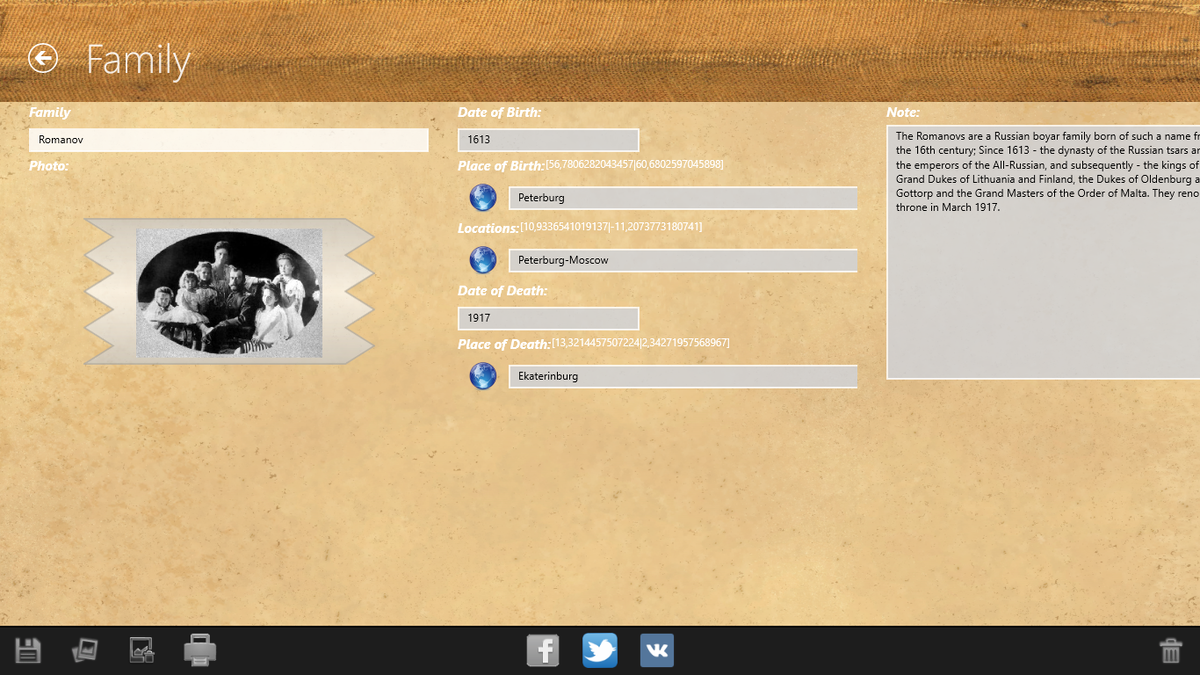
First of all, a list of families (surnames) is created, in which data on persons belonging to a family are stored. The following information is entered into the family card: Family name; Date of birth of the genus; Place of birth of the genus; Brief description of the genus.
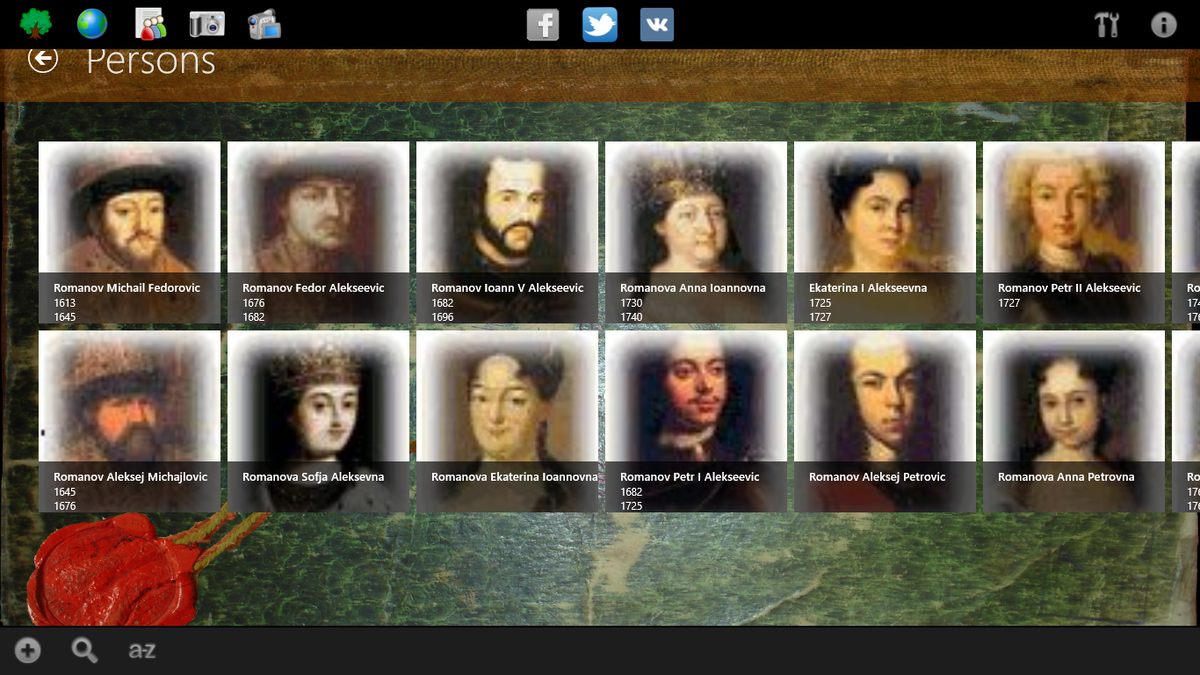
The second screen shows a list of persons belonging to the family. Here you can create a new person card or edit an existing one. Sort the list. Search for persons in all families. Move a person to another family.
The following information is entered into the person’s card: full name; Floor; Date and Place of birth (with geographic coordinates): Date and Place of death (with geographic coordinates); Father; Mother; Spouse; Date and Place of the wedding (with geographic coordinates); Place of residence (with geographic coordinates); Education; Religion; Nationality; Biography. Enter data phenotype and genotype.
Father, mother, spouse are selected from the list of persons already entered. You can add multiple parents and spouses. It is also possible to add same-sex parents.
From the collected data, the program generates genealogical reports. The corresponding buttons are at the top of the screen. Family tree. The presentation of genealogical information in the form of an ascending tree.
Genealogical branches. The presentation of genealogical information in the form of descending branches of the tree.
Genealogical card. The form of representation of genealogical information in the form of a map with marks of the place of birth (place of death) and parents-children connections.
List of generations. The form of representation of genealogical information in the form of a list of generations with a breakdown by gender.
Data copy, archive, transfer to another computer. To do this, there is a backup function in the program.
The database of the program is stored in the FamilyTree.s3db file in the program directory / databases /. Photos and video files are stored on SD in the TreesFamilies directory in the corresponding folders of Fotos and Kinos. When you click "Exit", the program saves the FamilyTree.s3db database in the TreesFamilies directory on SD. The TreesFamilies folder can be copied to another computer. To install the program. When you first start the program itself will copy the data from the FamilyTree.s3db database of the SD file to the / databases / folder of the program.