Разработка стратегии мечты – временные события
Приветствую, дорогие друзья! В этой публикации мы создадим систему игровых событий, которые будут срабатывать в зависимости от количества указанных дней.
Первым делом создадим скрипт –
using System;
using System.Collections;
using System.Collections.Generic;
using UnityEngine;
public class GameTimeEvents : MonoBehaviour
{
public static event Action<int, int> DayPassedEvent;
private GameTime_gameTimeSystem;
private float_daysPassed;
private readonly Dictionary<int, int> _subscriberIntervals = new Dictionary<int, int>();
private readonly Dictionary<int, int> _lastTriggeredDays = new Dictionary<int, int>();
private void Awake()
{
_gameTimeSystem = FindObjectOfType<GameTime>();
}
private void Start()
{
StartCoroutine(UpdateDaysPassed());
}
private IEnumeratorUpdateDaysPassed()
{
while (true)
{
if (Time.timeScale > 0)
{
float timeScale = _gameTimeSystem.GetTimeScale();
_daysPassed += Time.deltaTime * timeScale;
int totalDaysPassed = Mathf.CeilToInt(_daysPassed);
foreach (varsubscriber in _subscriberIntervals)
{
int id = subscriber.Key;
int interval = subscriber.Value;
if (interval > 0 && totalDaysPassed - _lastTriggeredDays[id] >= interval)
{
_lastTriggeredDays[id] = totalDaysPassed;
DayPassedEvent?.Invoke(id, interval);
}
}
}
yield return null;
}
}
public voidSubscribe(intsubscriberId, intdaysInterval)
{
if (!_subscriberIntervals.ContainsKey(subscriberId))
{
_subscriberIntervals[subscriberId] = daysInterval;
_lastTriggeredDays[subscriberId] = Mathf.CeilToInt(_daysPassed);
}
}
public voidUnsubscribe(intsubscriberId)
{
if (_subscriberIntervals.ContainsKey(subscriberId))
{
_subscriberIntervals.Remove(subscriberId);
_lastTriggeredDays.Remove(subscriberId);
}
}
}
В нем мы создаем события public static event Action<int, int> DayPassedEvent; которые будут срабатывать через указанное в инспекторе количество дней. Для чего я это сделал – в игре будут присутствовать различные действия которые будут повторяться через определенный промежуток времени, например, расчет населения, добыча ресурсов, расчет цен на товары и так далее …
Теперь создадим подписчика на эти события и протестируем его - using UnityEngine;
public class TimeEventListener : MonoBehaviour
{
[SerializeField] private int _daysQuantity;
private int_subscriberId;
private void OnEnable()
{
_subscriberId = GetInstanceID();
FindObjectOfType<GameTimeEvents>().Subscribe(_subscriberId, _daysQuantity);
GameTimeEvents.DayPassedEvent += OnDayPassed;
}
private void OnDisable()
{
GameTimeEvents timeEventSystem = FindObjectOfType<GameTimeEvents>();
if (timeEventSystem != null)
{
GameTimeEvents.DayPassedEvent -= OnDayPassed;
timeEventSystem.Unsubscribe(_subscriberId);
}
}
private voidOnDayPassed(int id, int days)
{
if (id != _subscriberId) return;
Debug.Log($"Прошло {days} дней");
}
}
В поле - [SerializeField] private int _daysQuantity; мы можем указать любое количество дней, через которое сработает наше событие –
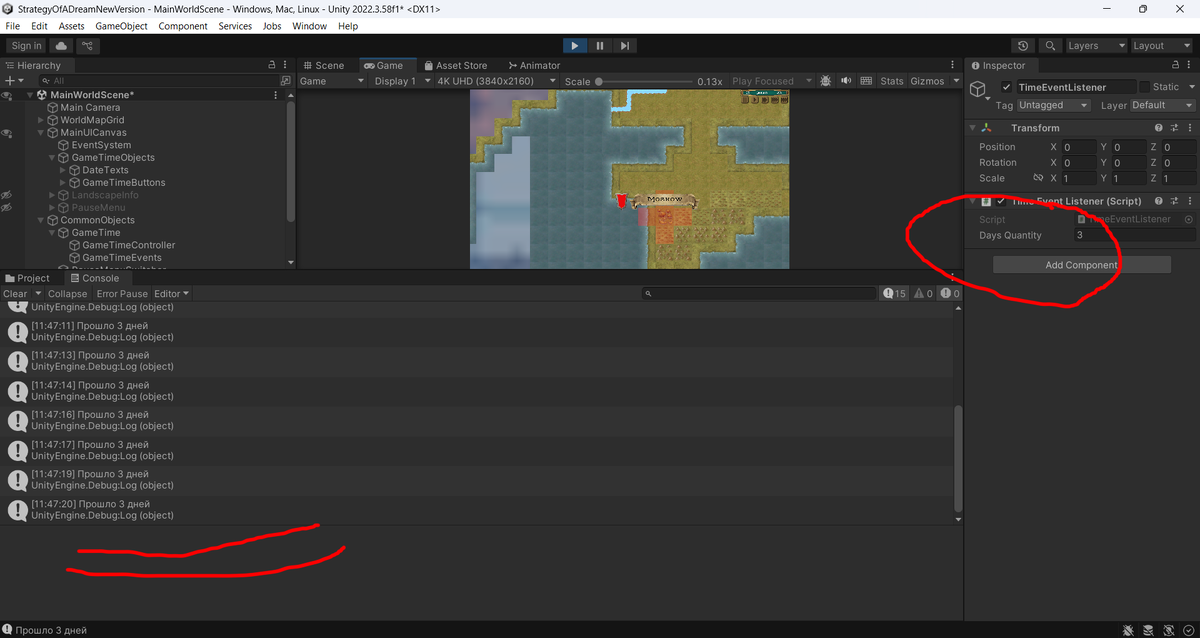
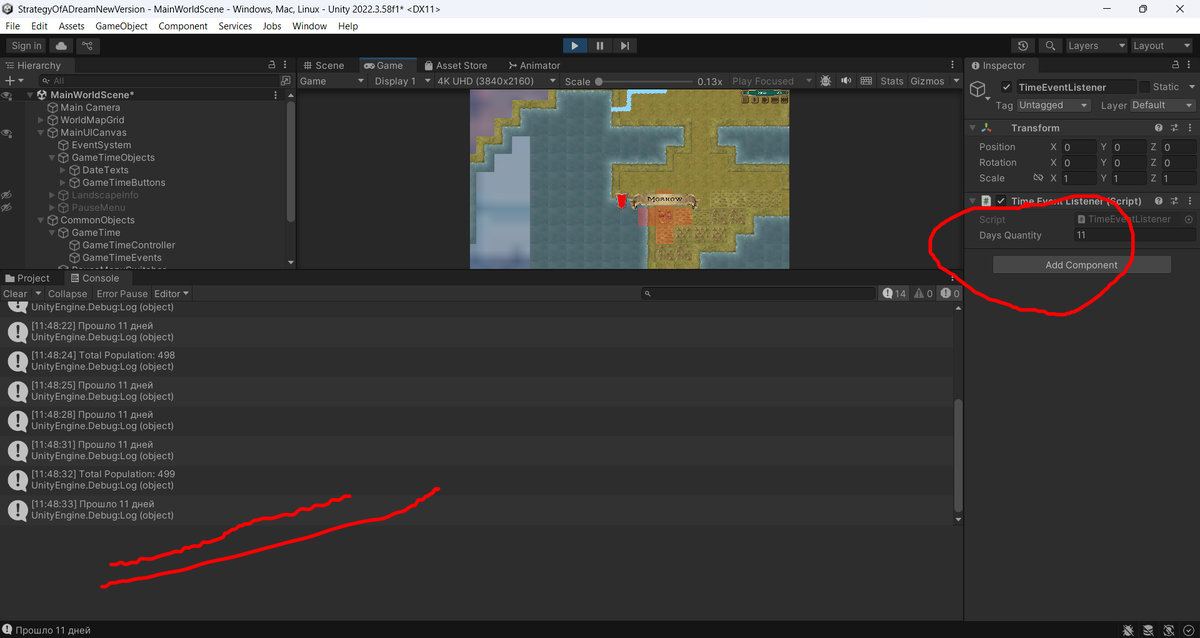
Вот так, мы будем управлять нашими событиями в игре. Увидимся в следующей публикации.